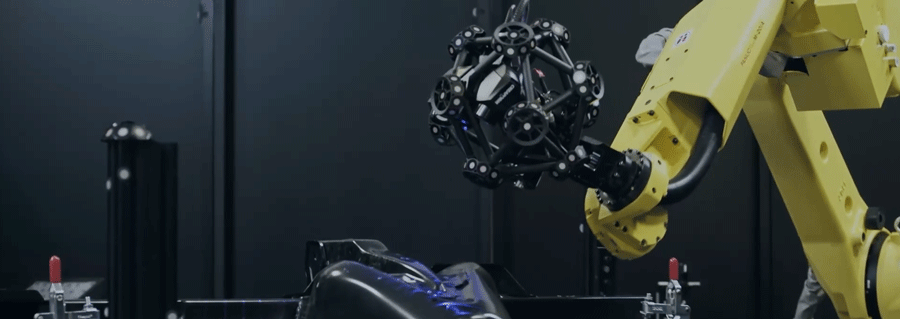
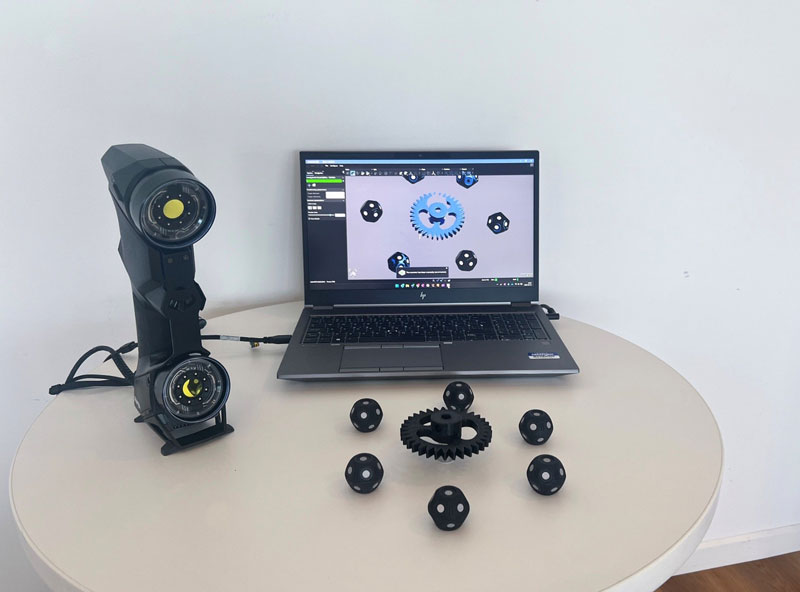
Simplifying the transition from scan data to the CAD workflow requires selecting the right toolset for reverse engineering. However, many software platforms force product designers to toggle between multiple tools, which not only disrupts their workflow but also increases the risk of errors. Furthermore, some high-end scan-to-CAD tools often come with a long and complex learning curve. In addition to complicating purchasing decisions, this can make it difficult for average users to master reverse engineering techniques.
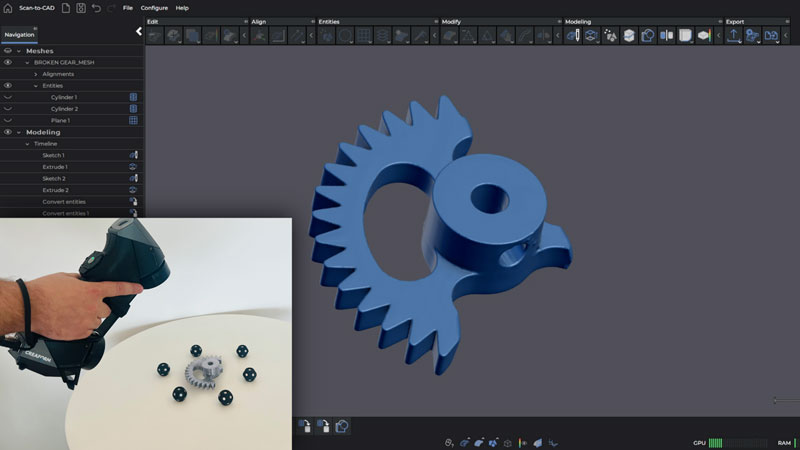
Challenges :
What happens if a reverse engineering project starts with noisy or incomplete data?
Raw scan data (point clouds or triangular meshes) often contains noise or gaps, which must be cleaned or interpolated. Otherwise, improperly handled data leads to inaccurate CAD models or adds unnecessary complexity to the design. When scan data is too noisy or has low resolution, extracting key features like planes, cylinders, or holes becomes significantly harder. Product designers are forced to manually reconstruct these features in CAD software, which is time-consuming and prone to errors due to guesswork and approximation.
Can all software convert raw scan data into editable parametric CAD models?
Many software tools struggle to automatically recognize features, requiring users to manually recreate surfaces, dimensions, and features. This not only extends the design process but also increases the number of trial-and-error iterations. Converting mesh data into smooth, precise NURBS or parametric surfaces is particularly challenging, especially for freeform or organic shapes. Without the right tools, designers face issues like gaps, overlaps, or oversimplified geometry, rendering the CAD model unusable.
What happens if a triangulated surface is imported directly into CAD software?
Importing a triangulated surface directly into CAD software results in a non-editable, static surface—while useful for visual reference, it cannot be used to effectively extract design information. Most CAD software lacks the necessary mesh editing, alignment, and feature recognition tools required to function effectively during the modeling process. Consequently, product designers must begin reverse engineering with high-quality data. Additionally, they need an intuitive and comprehensive Scan-to-CAD toolset. Only by combining these two elements can they create CAD models accurately and efficiently.
Efficiency
This software simplifies the feature extraction process and transfers extensive information in a parametric format to CAD software, significantly improving the productivity of product designers. It not only reduces the time spent on data collection but also ensures faster data transfer into the CAD environments they commonly use.
Ease of Use
The software modules are user-friendly, featuring an intuitive interface and guided workflows. This lowers the entry barrier and eliminates the steep learning curve typically required to convert scan data into CAD. Regardless of experience level, this scan-to-CAD software enables all users to achieve ideal results.
Integration
By integrating data acquisition and feature extraction capabilities into a single environment, product designers only need to learn one interface. This simplifies the software application process and makes reverse engineering accessible to a broader range of people.
A Direct Path to Parametric CAD Models
This efficient CAD transfer path is only realized when the scan-to-CAD software can seamlessly transfer all extracted features as editable parameters to the CAD software. This eliminates the need for product designers to constantly return to the acquisition platform to find missing information.
When used in conjunction with metrology-grade 3D scanners, these scan-to-CAD software modules meet all these requirements, providing an efficient, intuitive, and integrated solution for faster conversion of scan data to CAD.
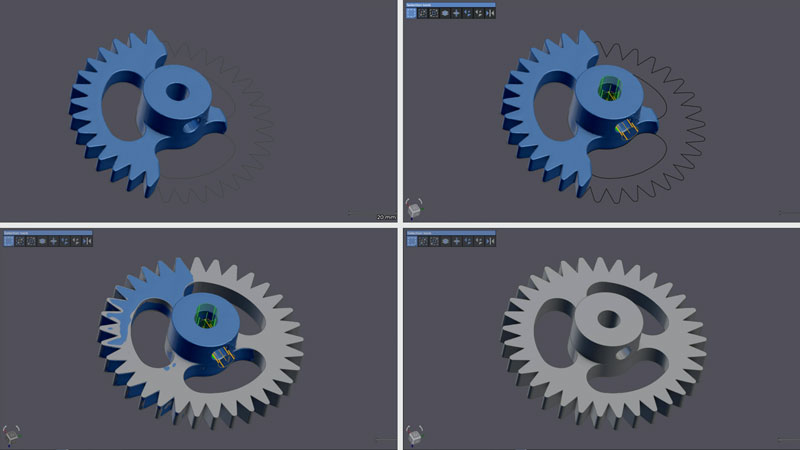
Scan-to-CAD Software Enables More Customized Designs with Fewer Iterations
Scan-to-CAD software and 3D scanners help designers achieve more customized designs with fewer iterations, thereby streamlining the workflow and bringing products to market at a much faster pace.
Superior Customized Design: Precise Fit on the First Assembly
Metrology-grade 3D scanners capture high-quality data in a single measurement, providing product designers with richer and more comprehensive design information. This assists designers in ensuring that the product fits precisely during the very first assembly.
Streamlined Design Process
The combination of single-scan data acquisition and real-time mesh visualization eliminates the need for multiple site visits to collect missing data, saving valuable time and resources. Product designers have all the necessary information from the start, allowing them to minimize iterations, accelerate reverse engineering, and simplify the overall design process.
Faster Time-to-Market
The software provides abundant data through an intuitive and user-friendly interface, significantly enhancing the productivity of product designers. The simplified process allows them to create higher-quality products in less time, reducing the need for corrections and shortening the time-to-market.
Tel: +86 13621649661
E-mail: info@thaiform.com